Conversations · 1 min read
How to Schedule Emails and SMS
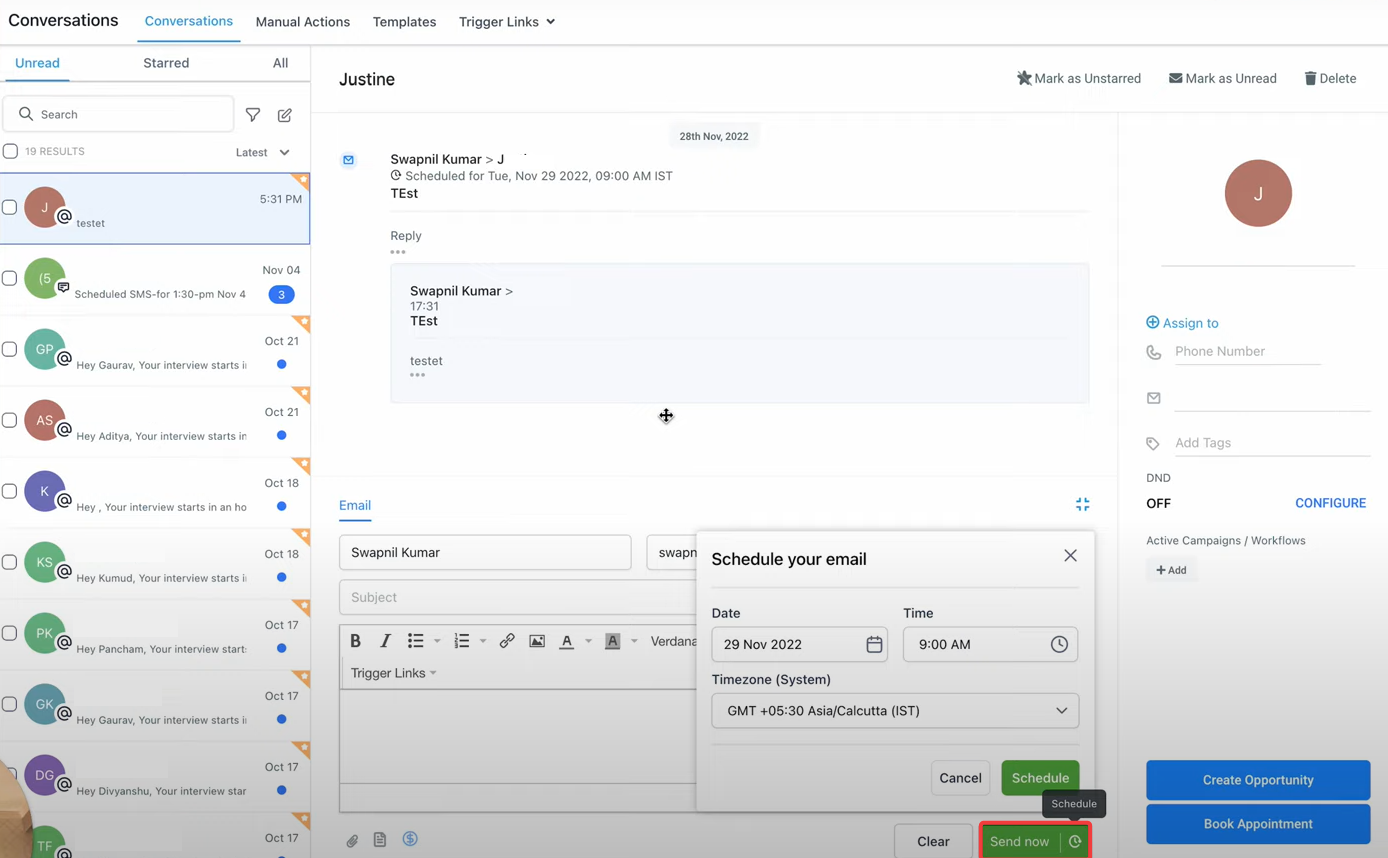
This Article goes over the schedule an email & SMS feature on the conversation page. Schedule messages (Email & SMS) for different time zones, view them on your conversation thread and cancel the schedule if needed. This is a seamless & effective way to send your messages later.
With this feature you will be able to:
- Select the date, time & timezone based on preference and schedule messages.
- View all scheduled messages on the conversation thread.
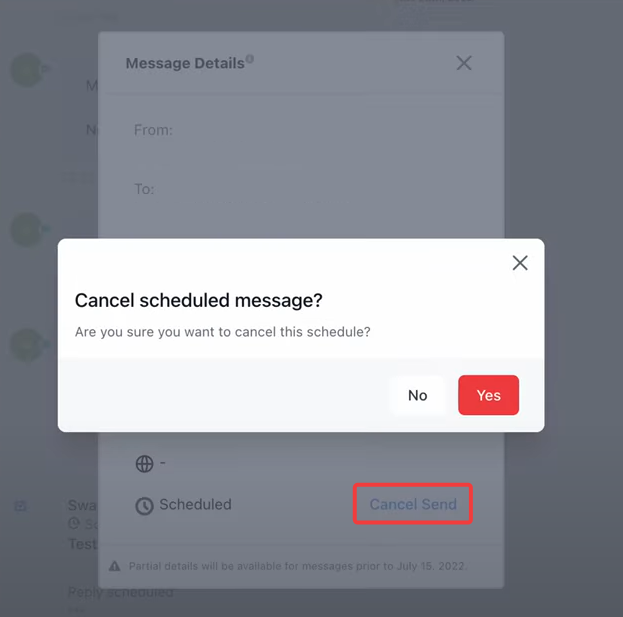
- Cancel scheduled messages from the message details tab.
- Navigate to the conversations tab
- After you set your scheduled time; you can view your scheduled SMS or Emails in the chat window
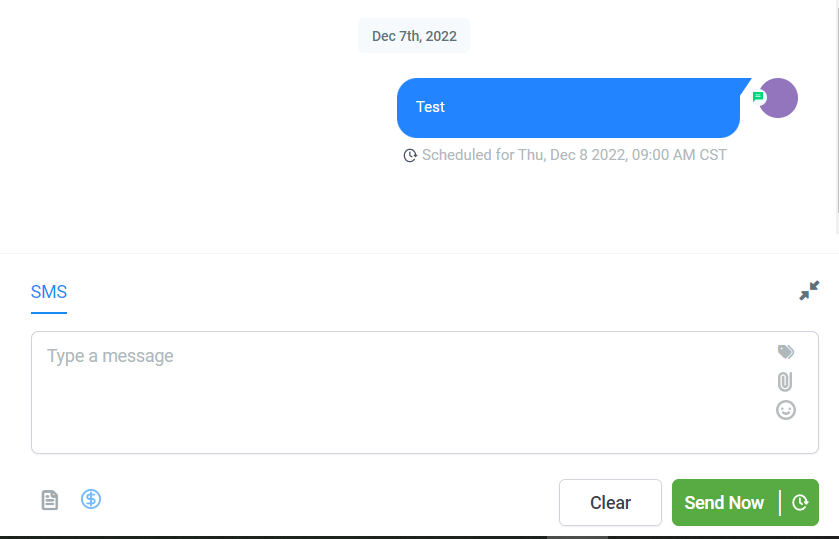
- You can have multiple scheduled messages stacked for the same contact

How to delete your scheduled SMS and/or Emails?
- Click the 3-dots in the message > details