Websites · 1 min read
How to Add Facebook Pixel to Your Website
If you are using a Facebook Pixel to track events for your ads, you will want to add the Pixel code to your funnel and funnel steps.
What you will need:
- Facebook Pixel Code
- Events you want to track
Step 1: Add Pixel Code to Funnel
- Copy the main pixel code from your Facebook Events Manager
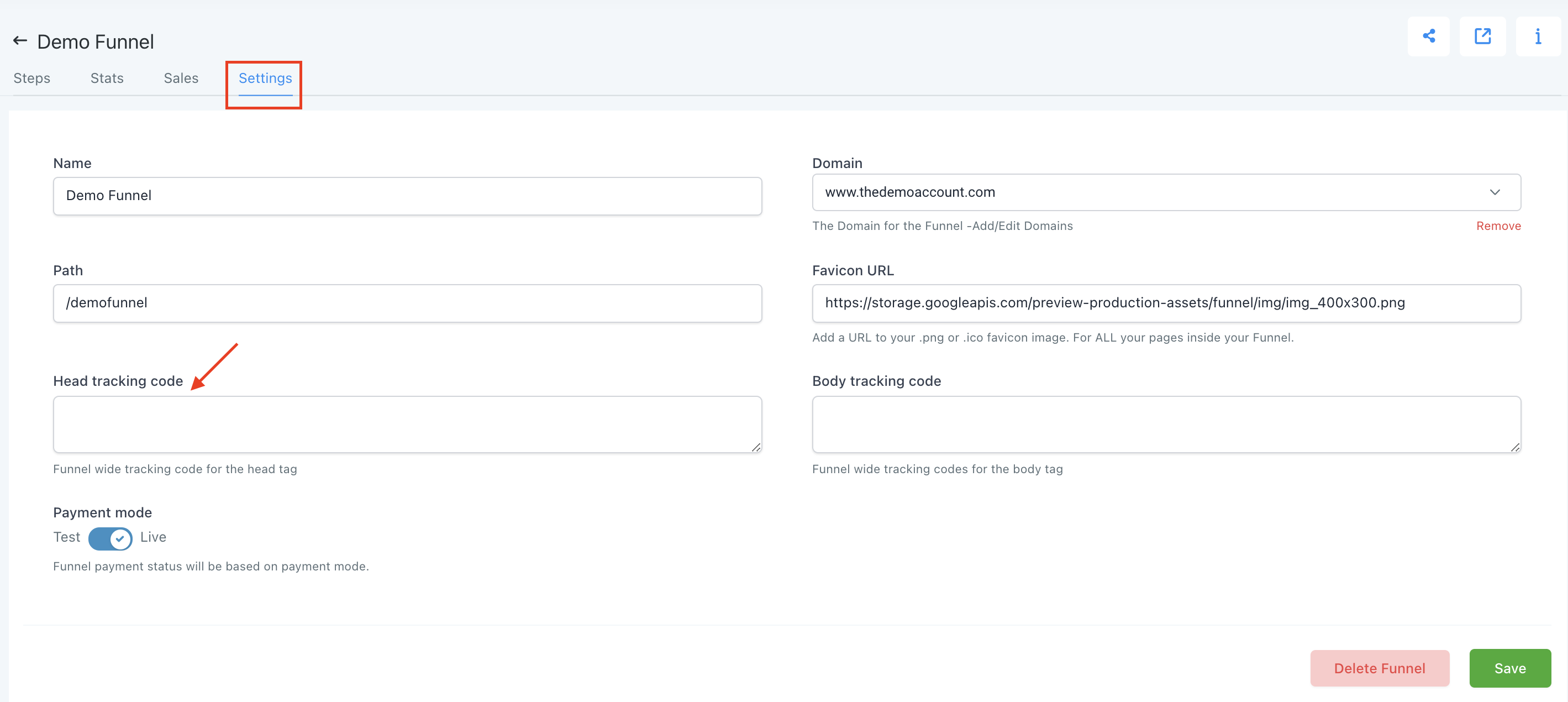
- Navigate to your Funnel.
- Click Settings --> Paste in your Pixel Code to the Head Tracking Code Section.
- Save your changes.
Step 2: Add in Event Specific Code to Individual Pages
- Choose the Step where the event in question is occurring (e.g. Lead would occur after an Opt In)
- Edit the Step.
- Choose Settings --> Tracking Code.
- Click Footer Code and paste in the Event Code.
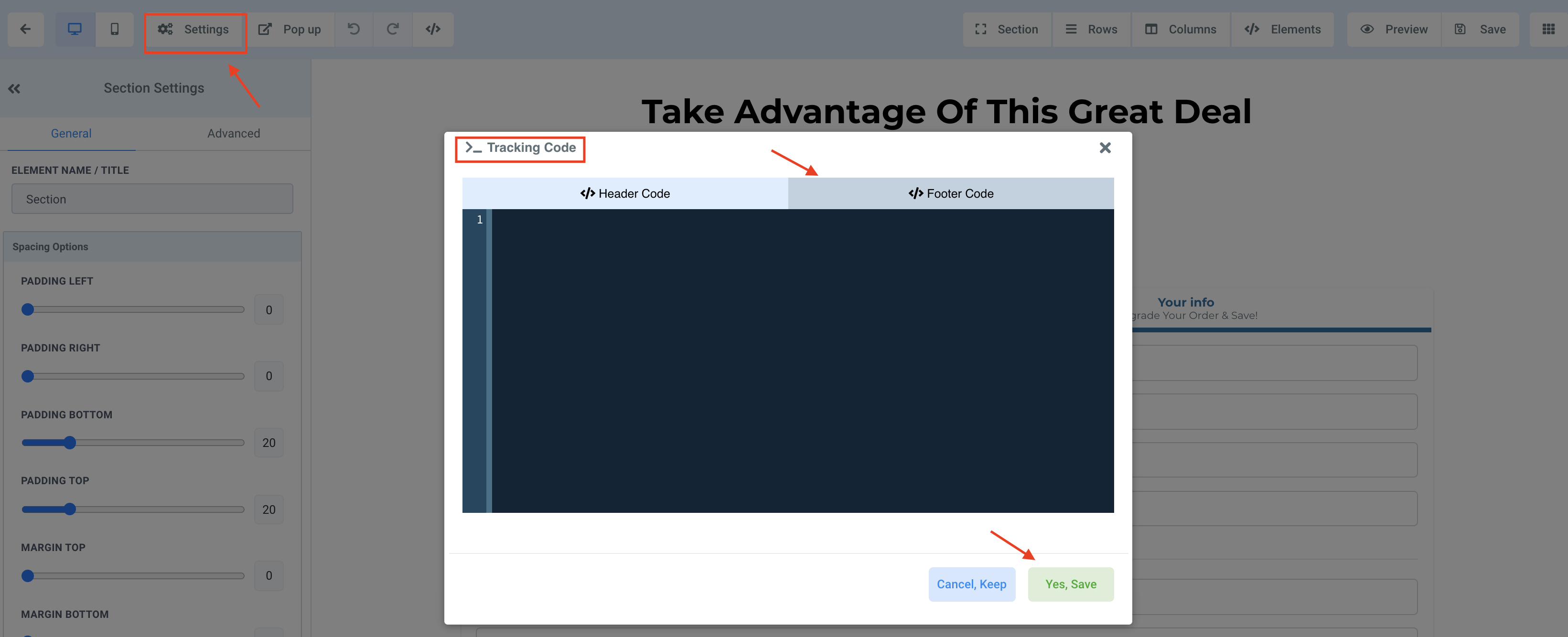
- Save your Changes.
RESOURCES:
Facebook Pixel Code (insert your ID in the IDHERE part of the code):
!function(f,b,e,v,n,t,s)
{if(f.fbq)return;n=f.fbq=function(){n.callMethod?
n.callMethod.apply(n,arguments):n.queue.push(arguments)};
if(!f._fbq)f._fbq=n;n.push=n;n.loaded=!0;n.version='2.0';
n.queue=[];t=b.createElement(e);t.async=!0;
t.src=v;s=b.getElementsByTagName(e)[0];
s.parentNode.insertBefore(t,s)}(window, document,'script',
fbq('init', ‘IDHERE’);
fbq('track', 'PageView');
<noscript><img height="1" width="1" style="display:none"
/></noscript>
Facebook Event Code:
fbq('track', ‘EVENTHERE');
List of Facebook Standard Events: