Triggers · 1 min read
How To Create Folders For Your Triggers
Organizing your Triggers into folders makes it easy for you to access all your Triggers conveniently.
Step 1: Create a Trigger
- Navigate to Triggers > Add Trigger.
- Name your Trigger > Customize the features.
- Save to confirm your changes.
- Activate the Trigger to use it (while in draft mode, it will not operate.)
Step 2: Creating Trigger Folders
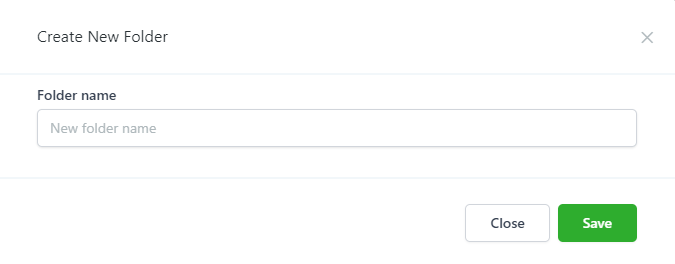
- Navigate to Triggers > New Folder
- Name the Folder and click Save.
Step 3: Organizing Triggers into Folders
- Navigate to Triggers.
- Choose the Trigger that you want to put in a Folder.
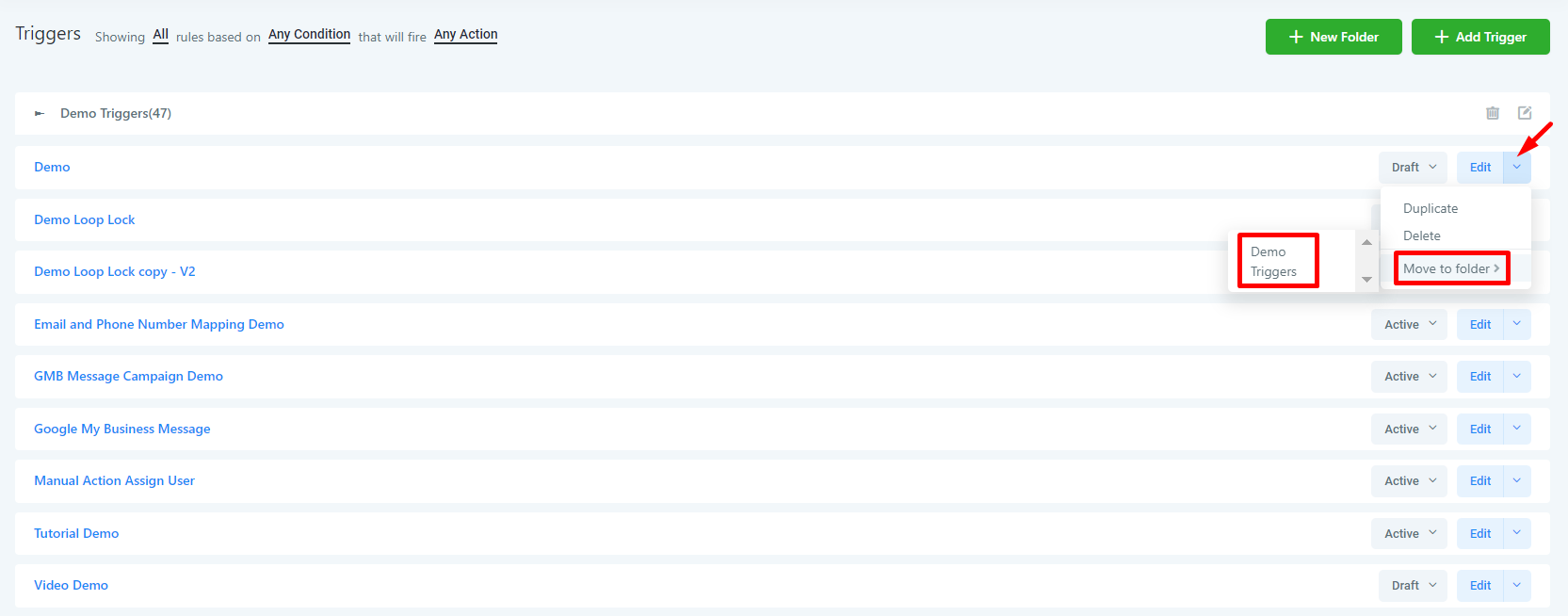
- Click the dropdown arrow next to Edit.
- Choose Move to Folderfrom the dropdown. Choose a Folder.
- Navigate to that Folder, and you'll see the Trigger there.