Forms & Surveys · 2 min read
Create and Manage a Contact Form
A contact form collects a name, email, phone, message, or any custom detail you need. When someone new submits it, FunnelStreams creates a contact. You can put the form on a website or funnel, or share a direct link.
Create the form
- Go to Sites, then Forms.
- Click Create New Form.
- Start blank, or pick a template from the template library.
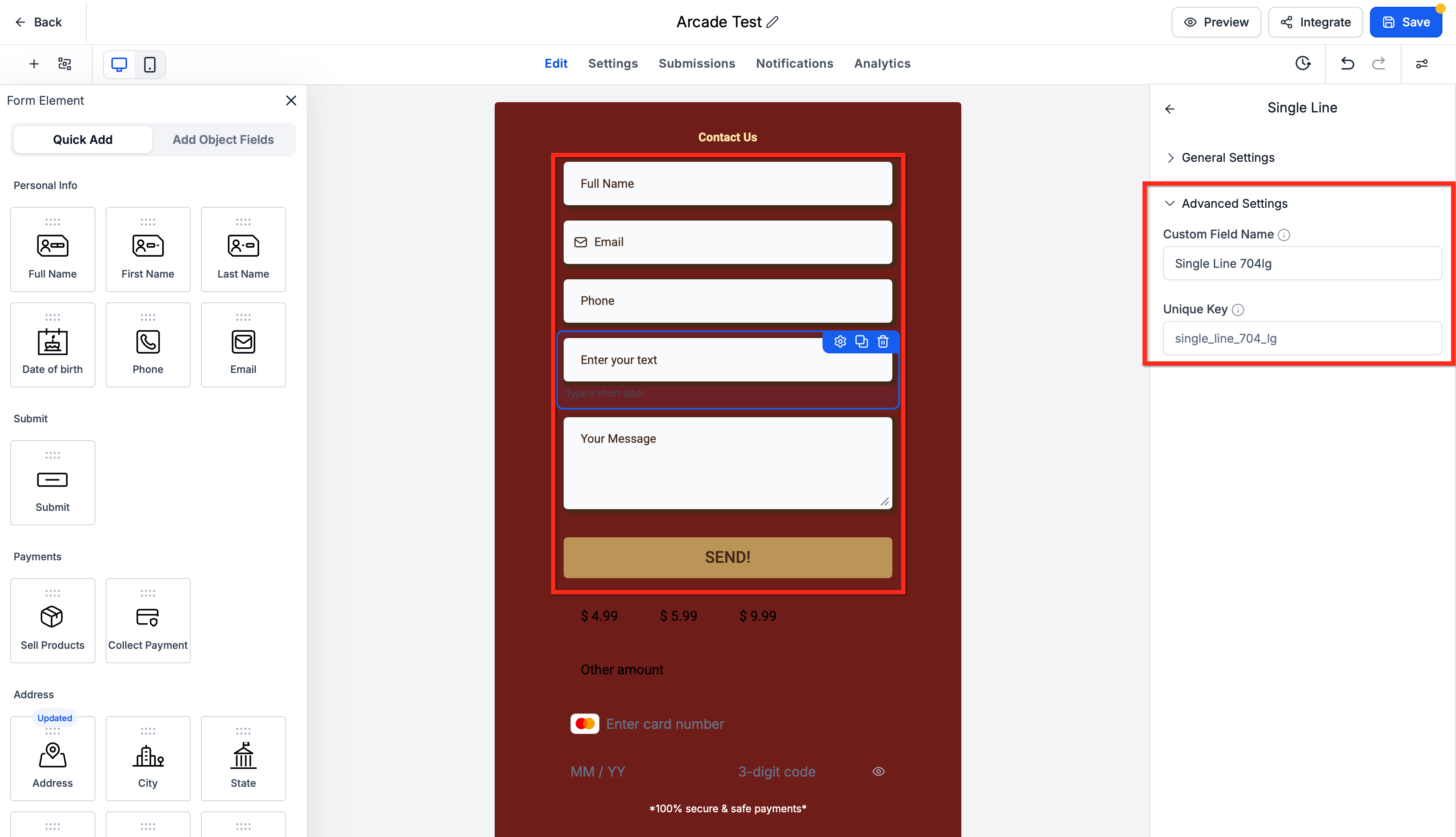
Add the fields you need, such as full name, first name, last name, email, phone, and a message. Drag them into order. Mark the important ones required.
Custom fields cover things like inquiry type or preferred contact method. From the builder you can add drop-downs, checkboxes, radio buttons, dates, numbers, money fields, file uploads, and text. Creating the field here also makes it available on the contact.
Look and behavior
Open Styles & Options.
- Styles covers layout, colors, backgrounds, spacing, inputs, buttons, and borders.
- Themes applies a preset you can then adjust.
- Advanced holds extra options for special cases.
Under Notifications:
- Email notification goes to your team. Set the subject, recipients, reply-to address, and sender name.
- Auto responder emails the person who submitted the form.
Also choose what happens after submit: a thank-you message, or a redirect to another page.
A Form submitted workflow can start follow-up when a chosen form is completed.
Test and read submissions
- Save and preview.
- Submit the form with test details.
- Confirm the thank-you message or the redirect.
- Open the Submissions tab on that form.
You can also open Sites > Forms, open the form, and use Submissions there. Filter by date or search. Show extra columns if you want more of the captured fields in the table.
After the form is live, the Analytics tab shows views, responses, average time to finish, and completion rate.
Share it
Click Integrate. Copy the embed code for a website, or copy the direct link to send on its own.