Email & SMTP · 1 min read
How To Use RSS Feeds in the Email Builder
What is RSS? It stands for “Really Simple Syndication”, and refers to files that are read easily by a computer (XML files) that automatically update information across sites. They are useful for blogs and other sites if you want to pull information from a site into an email, etc.
You can pull RSS feeds into the Email Builder to send out in an email blast. Follow these steps:
Step 1: Create an Email Template
- Navigate to the Email Builder
- Create a new email template or click into an existing one
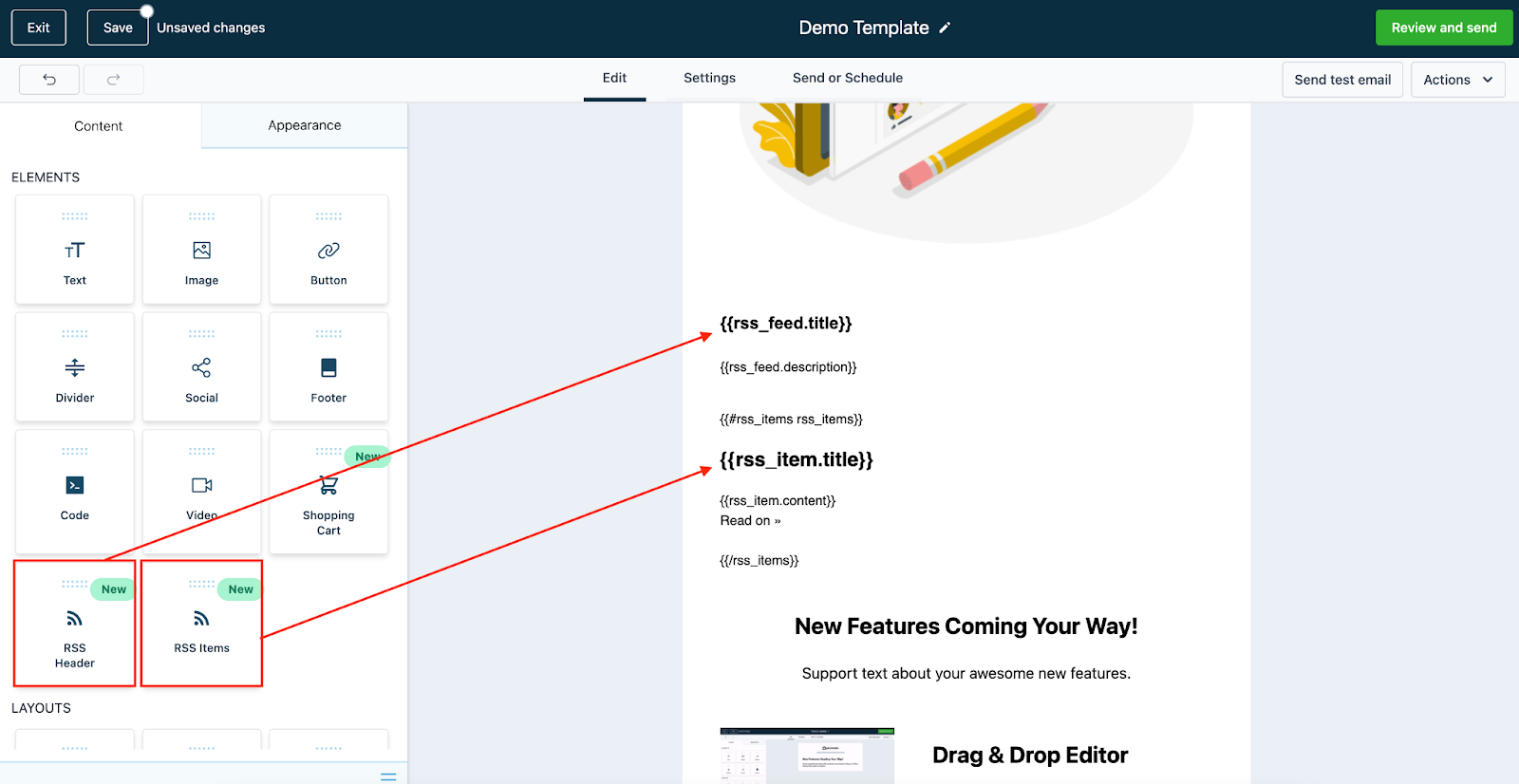
- Drag and drop the RSS Header or RSS Items element into the builder
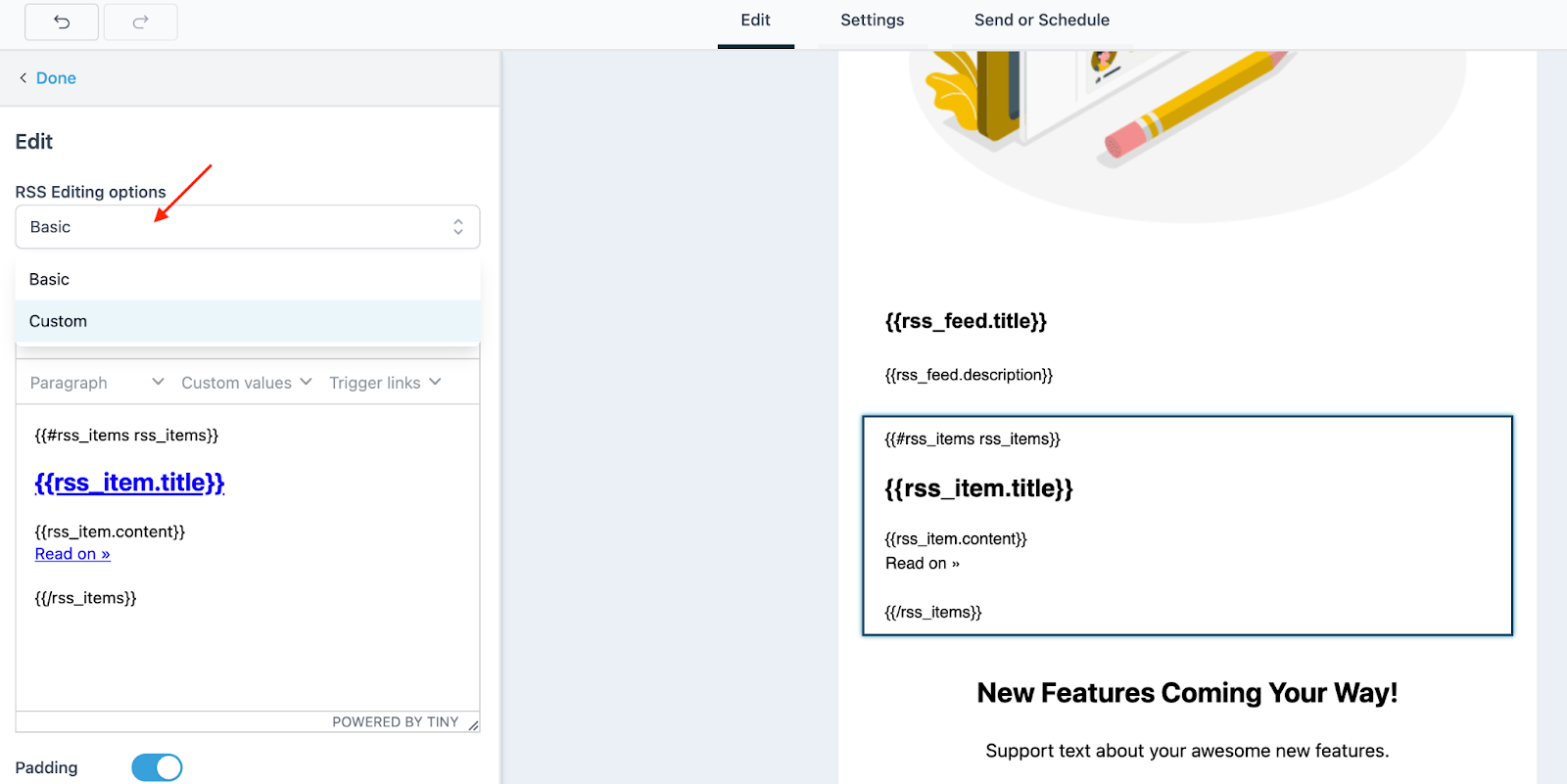
- Click into the element to open the editing options in the left menu.
- Choose “Basic” or “Custom” from the dropdown.
- By default, “Basic” will be chosen, which is locked. Switch to “Custom” to make edits to the element.
- Save any changes, and then proceed with your email (if you wish to send a test, save it as a template, or send out a scheduled blast, etc.)